
[Solved]1 Following Worked Example Previous Problem Suppose Tostring Method Defined Product Class Q37224513
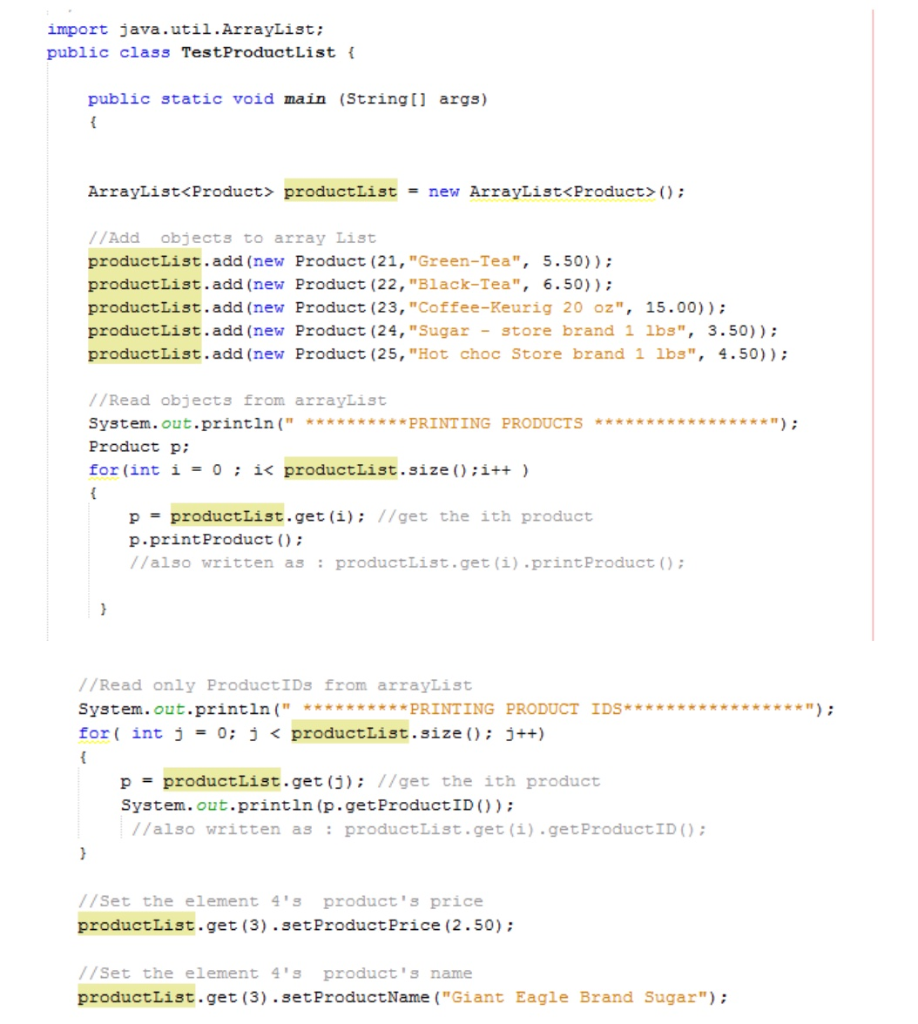
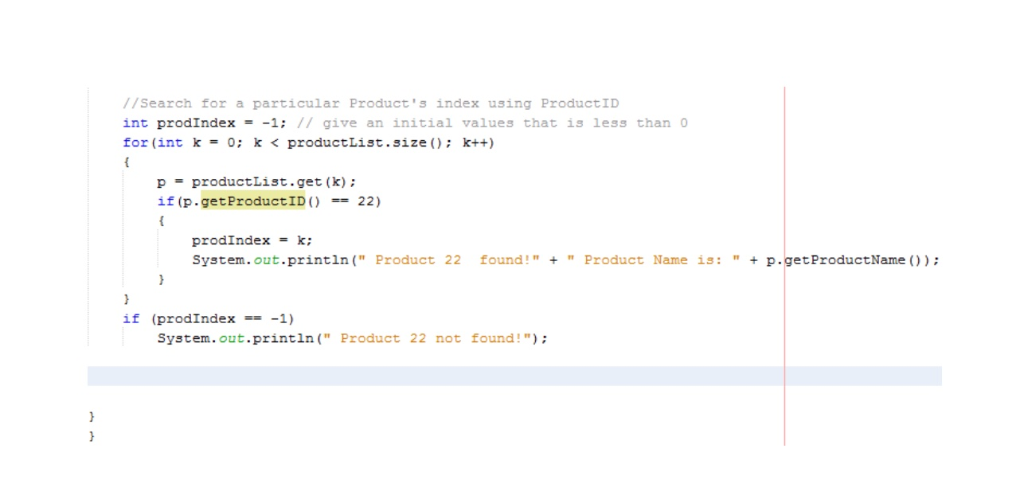
1. Following the worked out example in the previous problem,suppose there is a toString method defined for the Product classand if I were to print out all products in the productListarraylist :
System.out.println(” **********PRINTING PRODUCTS*****************”);
Product p; //assuming this is not defined before!
for(int i = 0 ; i< productList.size();i++ )
{
p = productList.get(i); //get the ith product
System.outprintln( p.toString());
//also written as : productList.get(i).toString;
}
Assume that the Student class has a toString method alreadydefined. Fetch all the Student objects in thestudentList arraylist and call the toString()method to print all objects of this list.
Answer:
2. Following the example of arrayList productList, suppose Iwant o print just the productIDs of all products in the list.
//Read only ProductIDs from arrayList
System.out.println(” **********PRINTING PRODUCTIDS*****************”);
for( int j = 0; j < productList.size(); j++)
{
p = productList.get(j); //get the ith product
System.out.println(p.getProductID());
//also written as :productList.get(i).getProductID();
}
Suppose the Student class has a private integer type instancevariable called studentID that can be fetched using its gettergetStudentID() method. Fetch and print the studentIDs of allStudent objects in the studentList arraylist.
Answer:
import java.util.ArrayList; public class TestProductList f public static void main (Stringi args) ArrayListくProduce> productList ArrayList<Product>(); = new //Add objects to array List productList.add (new Product (21, “Green-Tea”, 5.50)) productList.add (new Product (22, “Black-Tea”, 6.50)); productList.add (new Product (23, “Coffee-Keurig 20 oz”, 15.00)) productlist.add (new Product (24, “Sugar-store brand 1 1bs”, 3.50)) productList, add (new Product (25, “Hot choc St。re brand 1 1b3”, 4.50)); //Read objects from arrayList Product p: for (int i-0i< productlist.size:i++) p = productList.get(1); //get the ith product p.printProduct ) //also written as productList.get (i) .printProduct) //Read only ProductIDs from arrayList System.out.println(“*PRINTING PRODUCT IDS*** for ( int j = 0; j < productList.size(); j++) p = productList.get(j); //get the ith product System.out.println (p.getProductID)) //also written as productList.get (i) .getProductID //Set the element 4’s product’s price productList.get (3).setProductPrice (2.50); //Set the element 4’s product’s name productList.get (3) .setProductName (“Giant Eagle Brand Sugar”); //Search for a particular Product’s index using ProductID int prodIndex- -1: / give an initial values that is less than for (int k = 0; k < productList.3īze(); k++) pproductList.get (k) if (p.getProductID ( ) == 22) prodIndex = k; System.out.println(” Product 22 found!”+” Product Name is:”p.getProductName )) if (prodIndex-1) System.out.println(” Product 22 not found!”) Show transcribed image text import java.util.ArrayList; public class TestProductList f public static void main (Stringi args) ArrayListくProduce> productList ArrayList(); = new //Add objects to array List productList.add (new Product (21, “Green-Tea”, 5.50)) productList.add (new Product (22, “Black-Tea”, 6.50)); productList.add (new Product (23, “Coffee-Keurig 20 oz”, 15.00)) productlist.add (new Product (24, “Sugar-store brand 1 1bs”, 3.50)) productList, add (new Product (25, “Hot choc St。re brand 1 1b3”, 4.50)); //Read objects from arrayList Product p: for (int i-0i
Expert Answer
Answer to 1. Following the worked out example in the previous problem, suppose there is a toString method defined for the Product … . . .
OR
