
[Solved] C Programming Language C Programming Ds Malik 8th Ed Chapter 16 Programming Exercise 14 Q37243274
C++ programming language. C++ Programming, D.S Malik 8th ed.,Chapter 16, programming exercise 14.
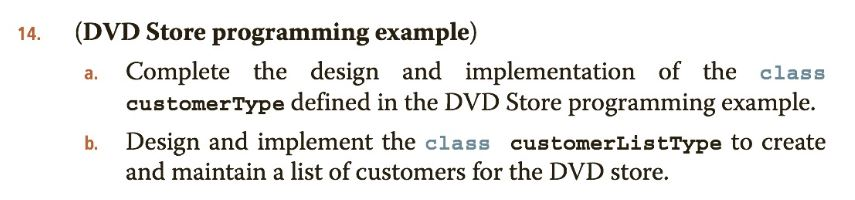
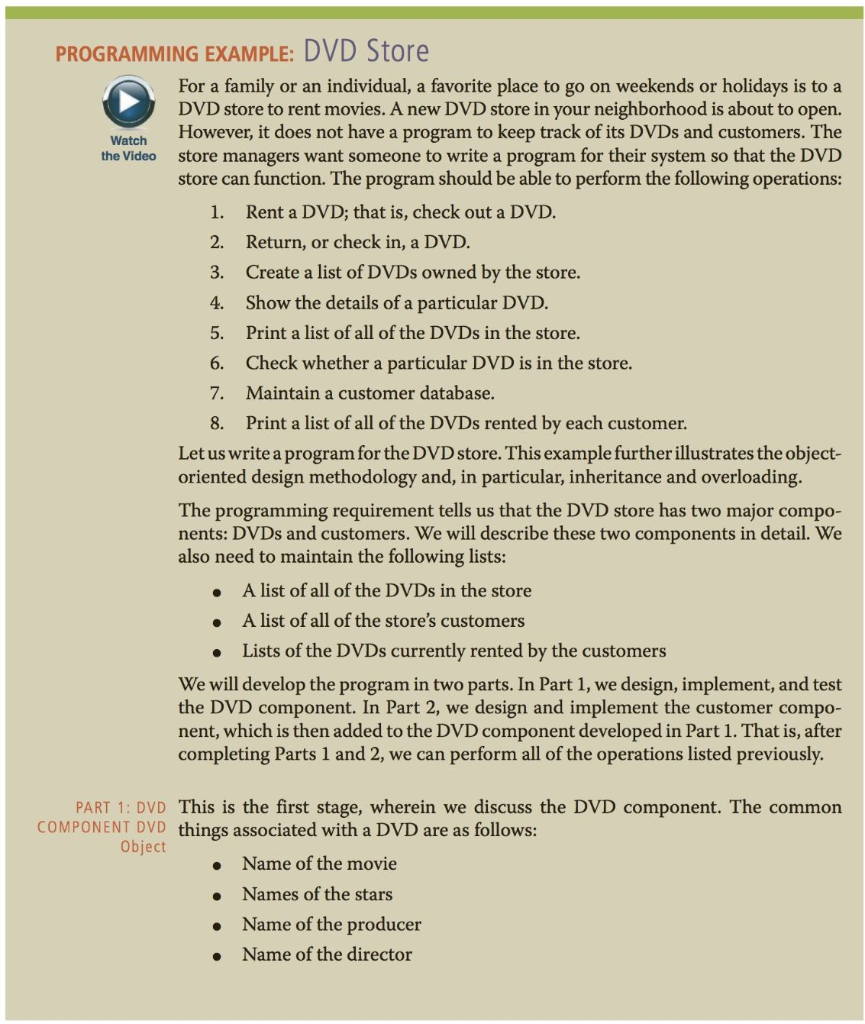
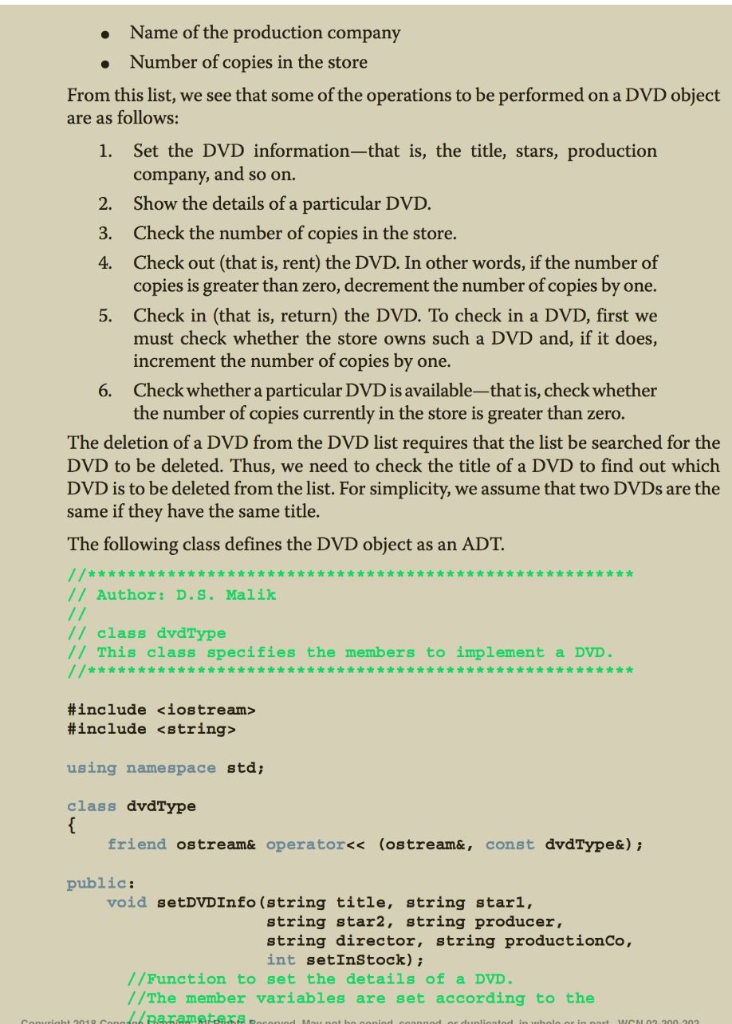
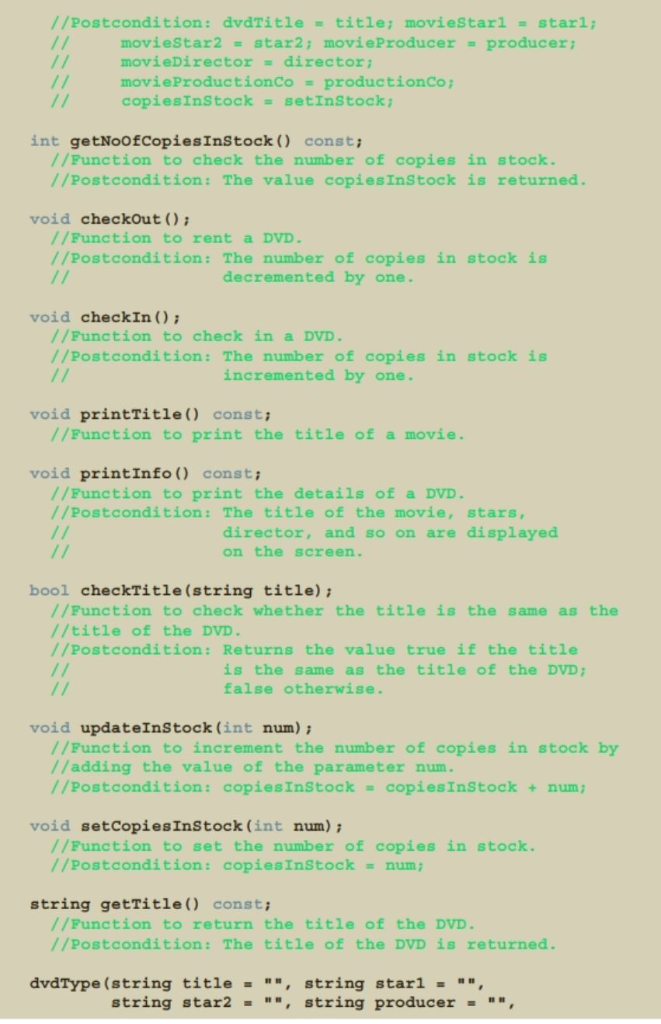
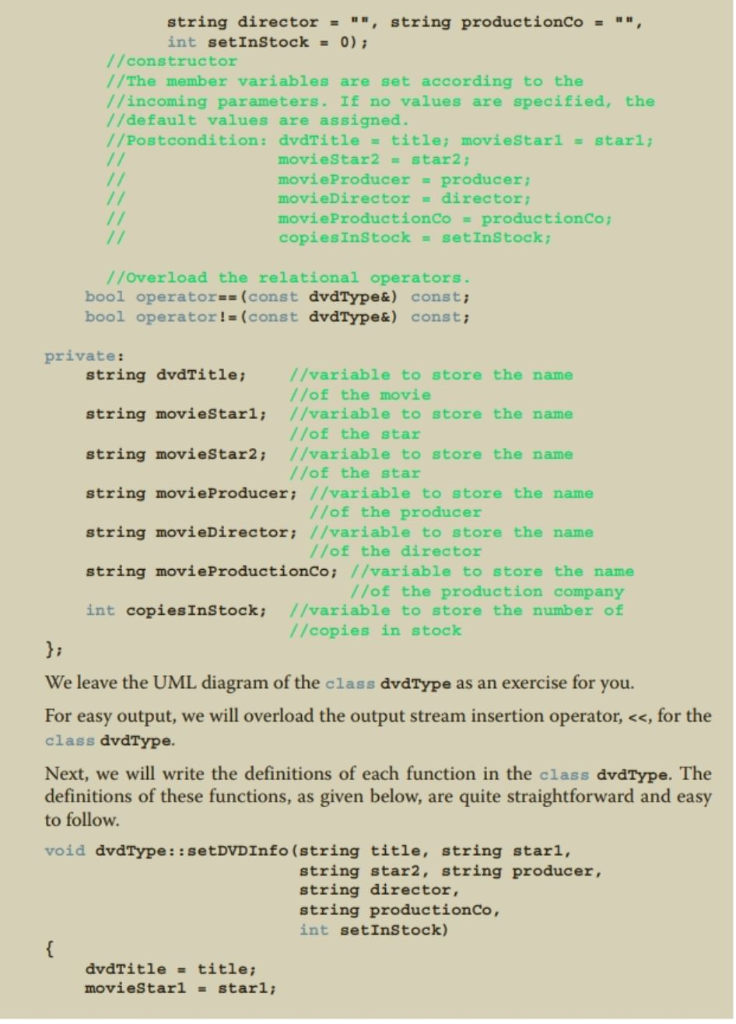
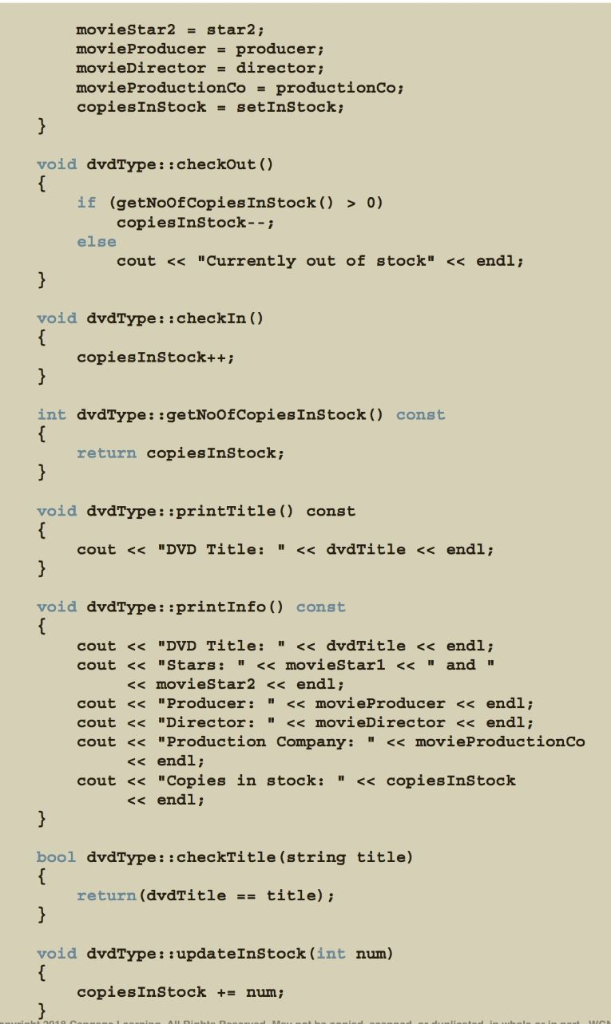
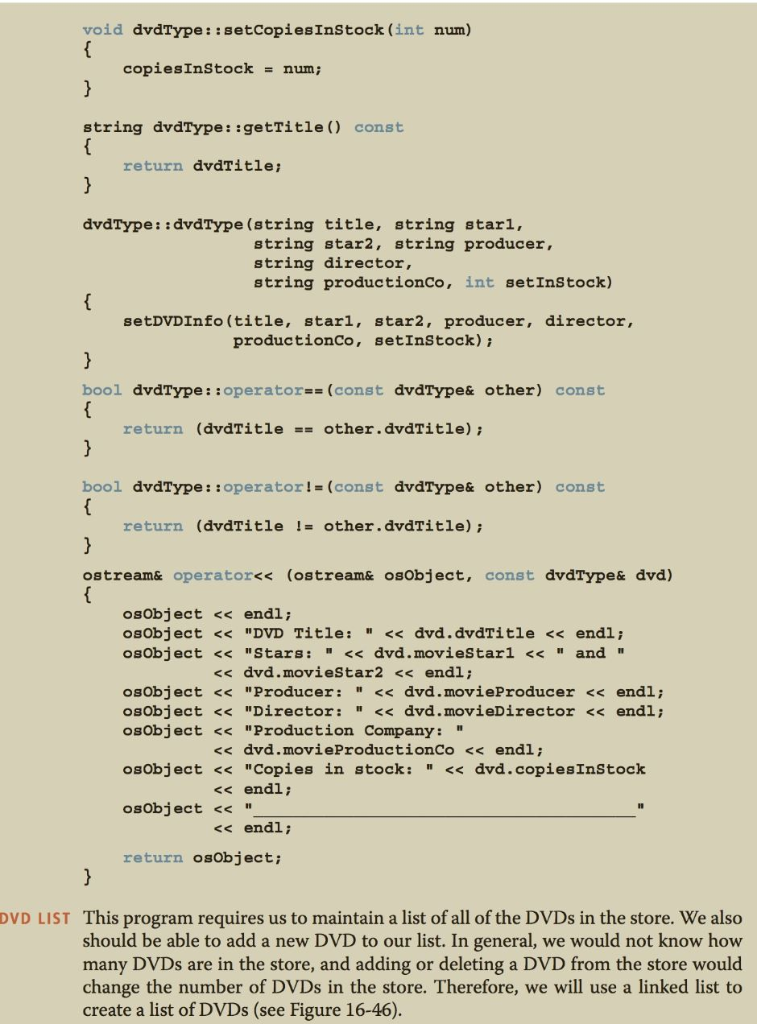
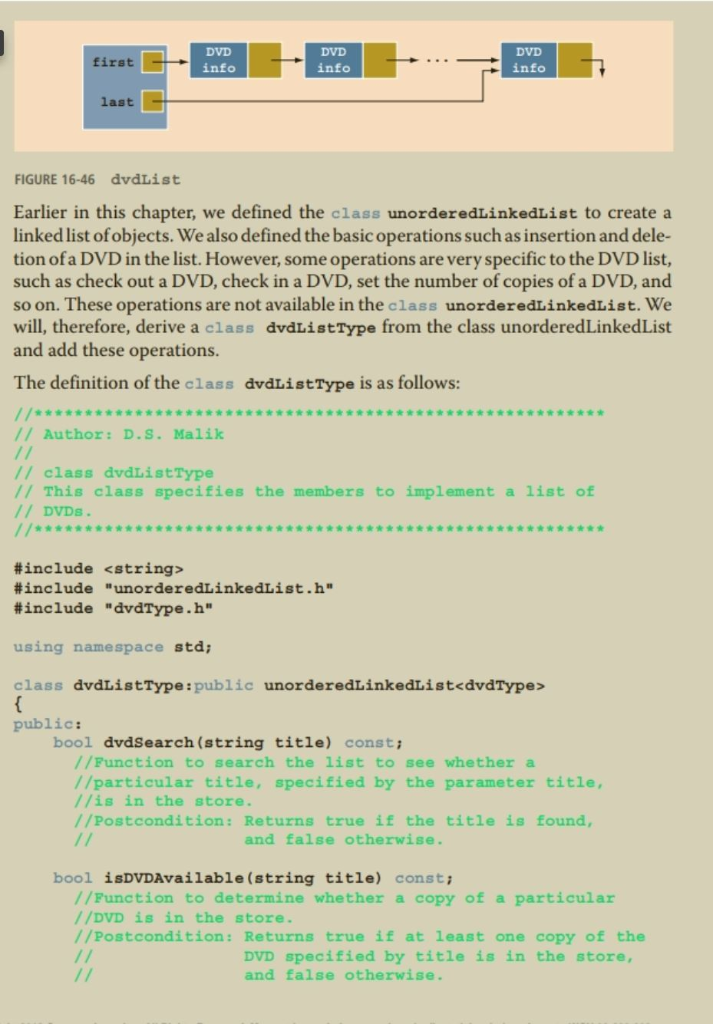
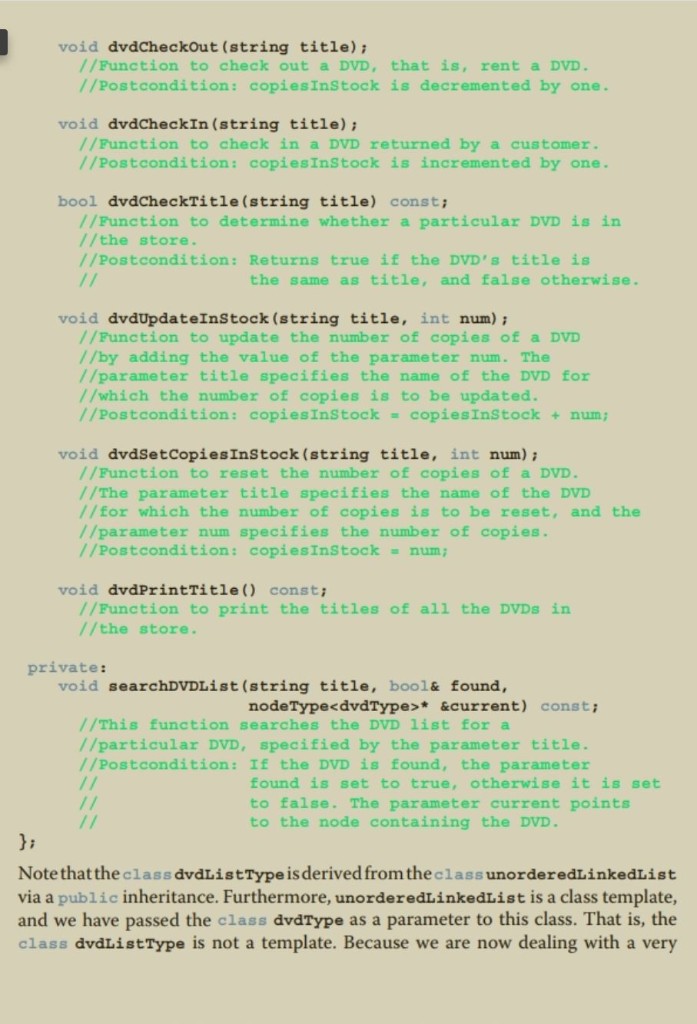
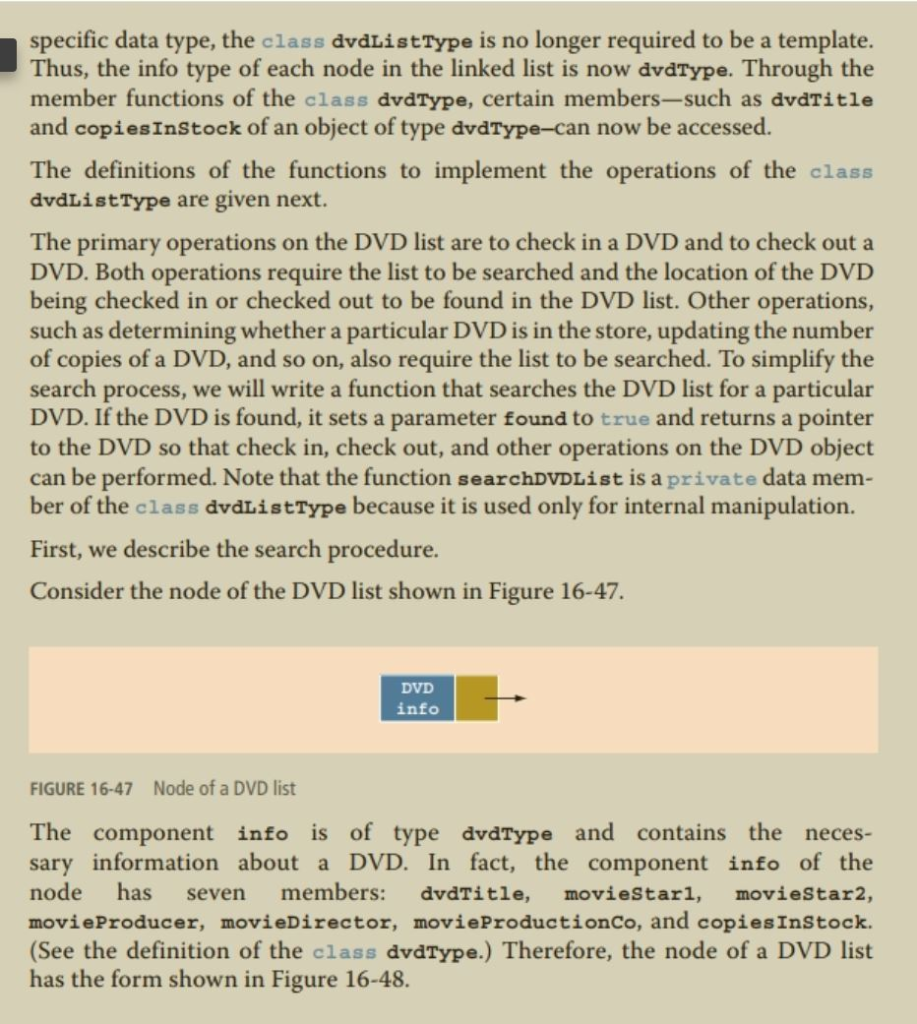
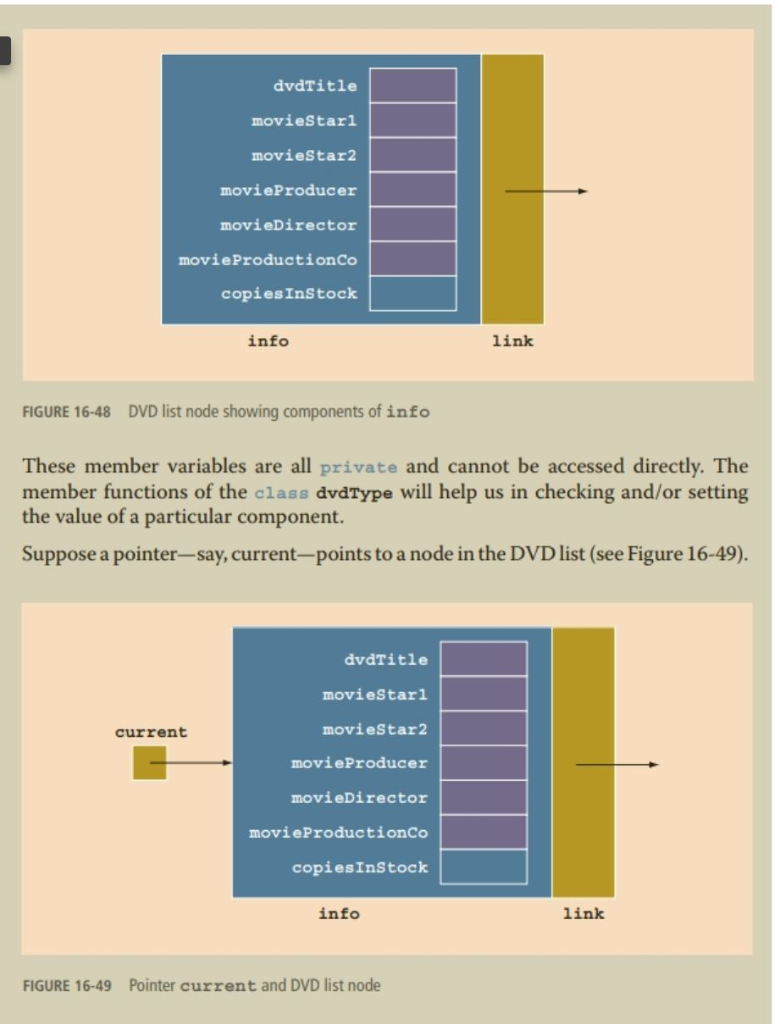
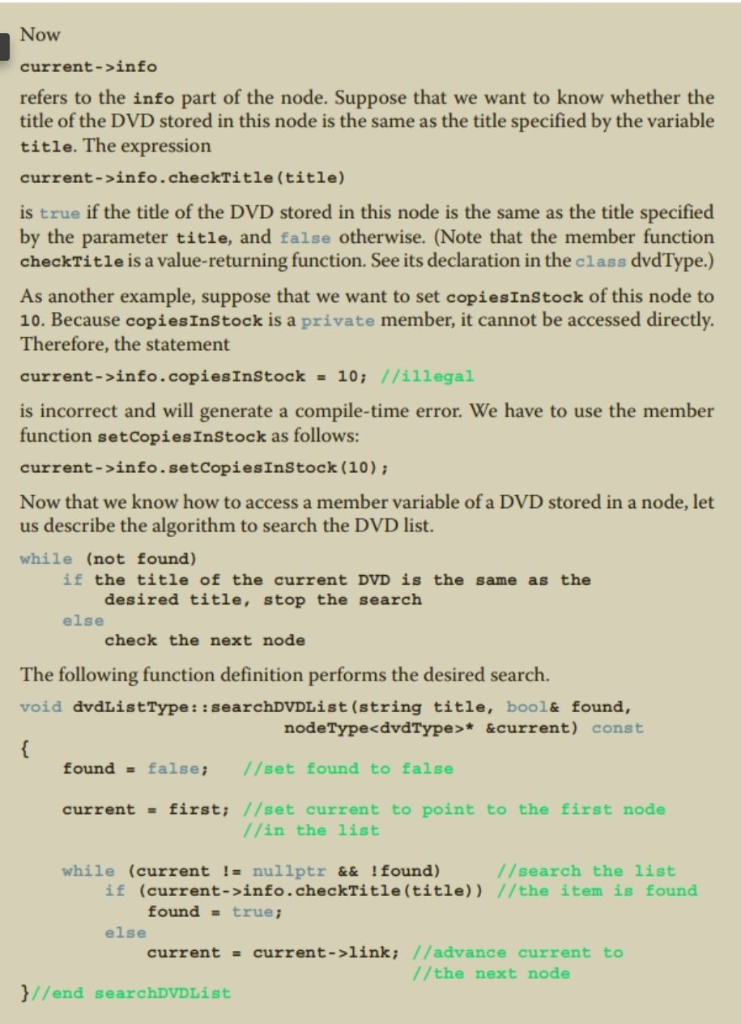
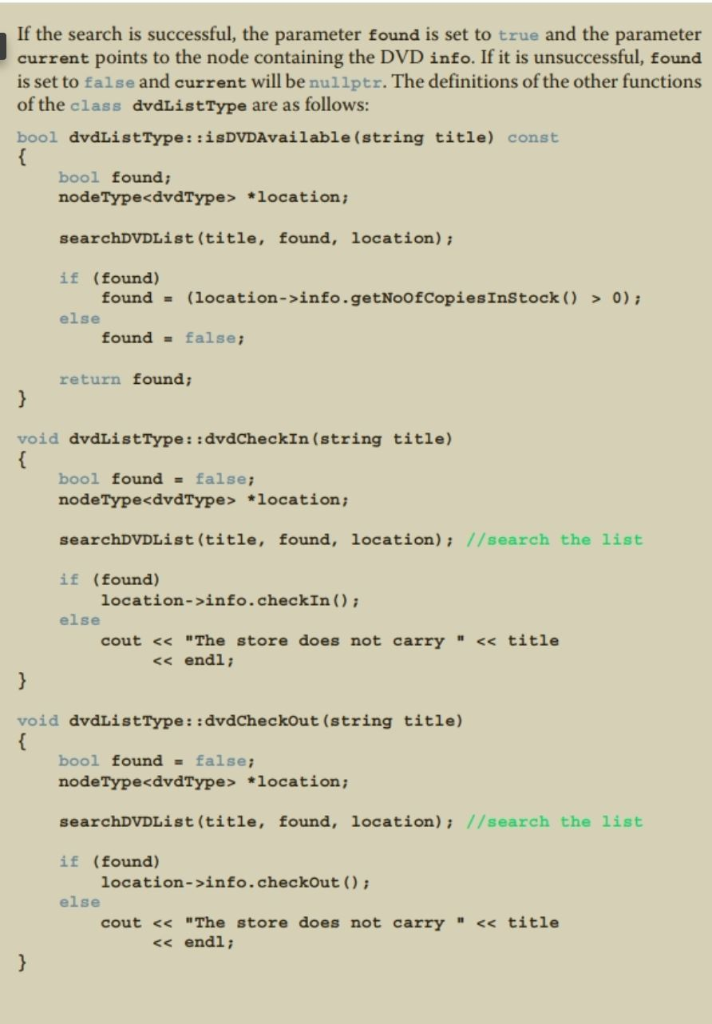
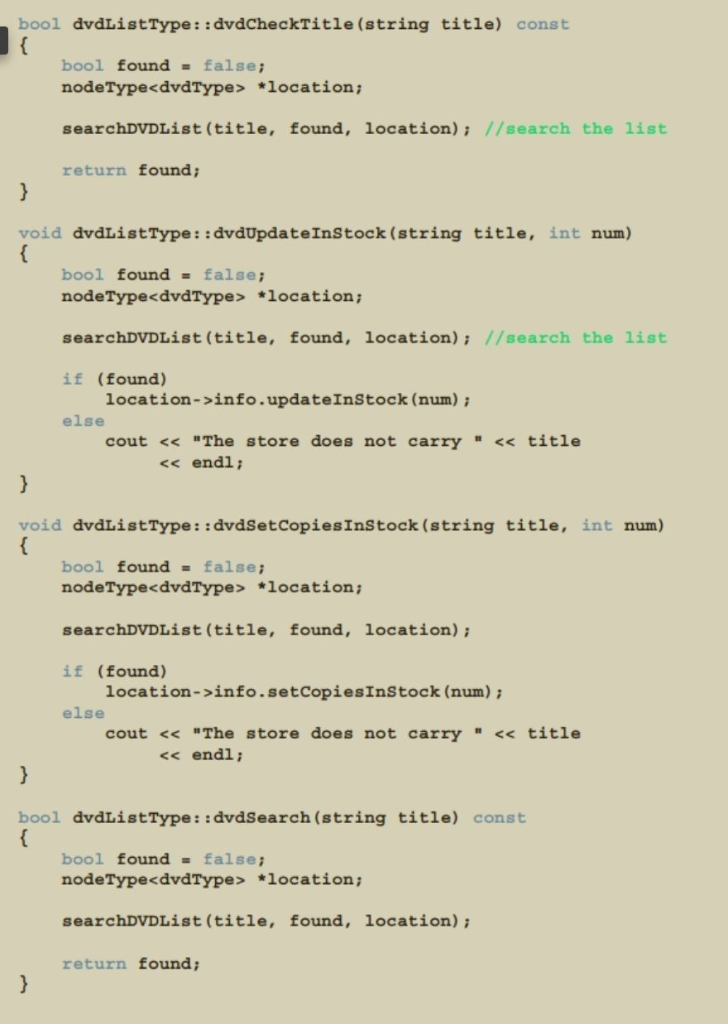
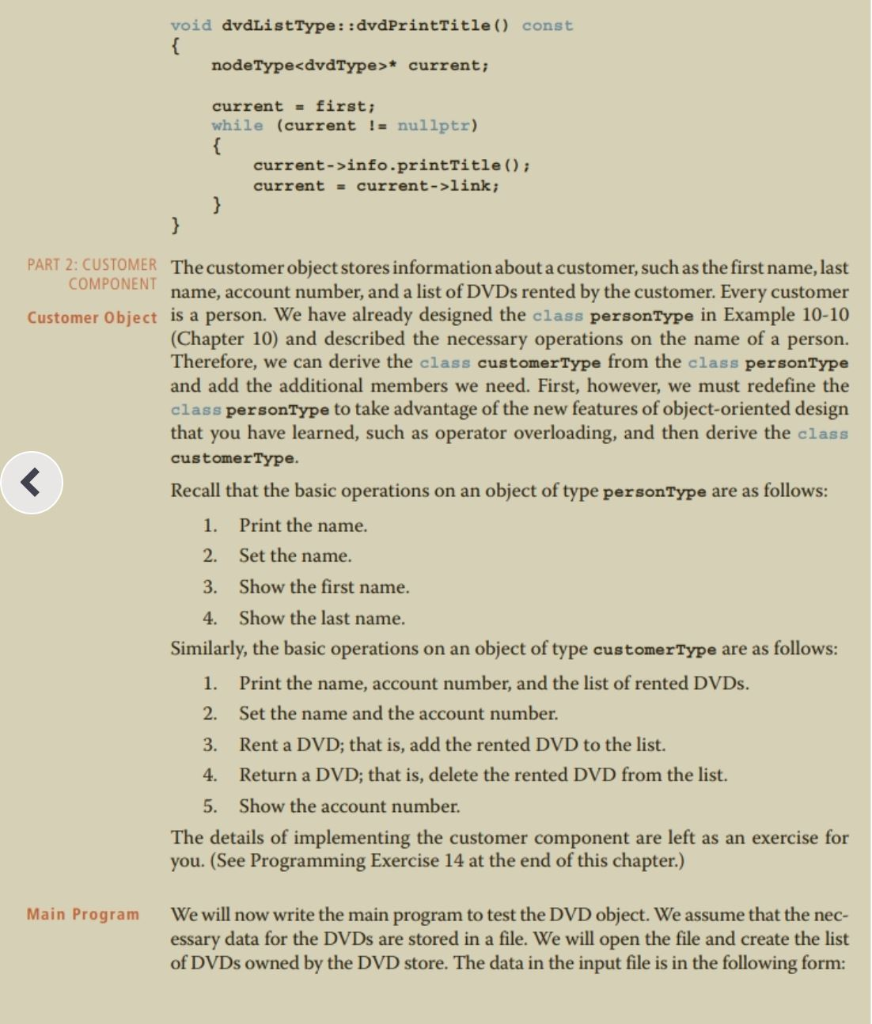
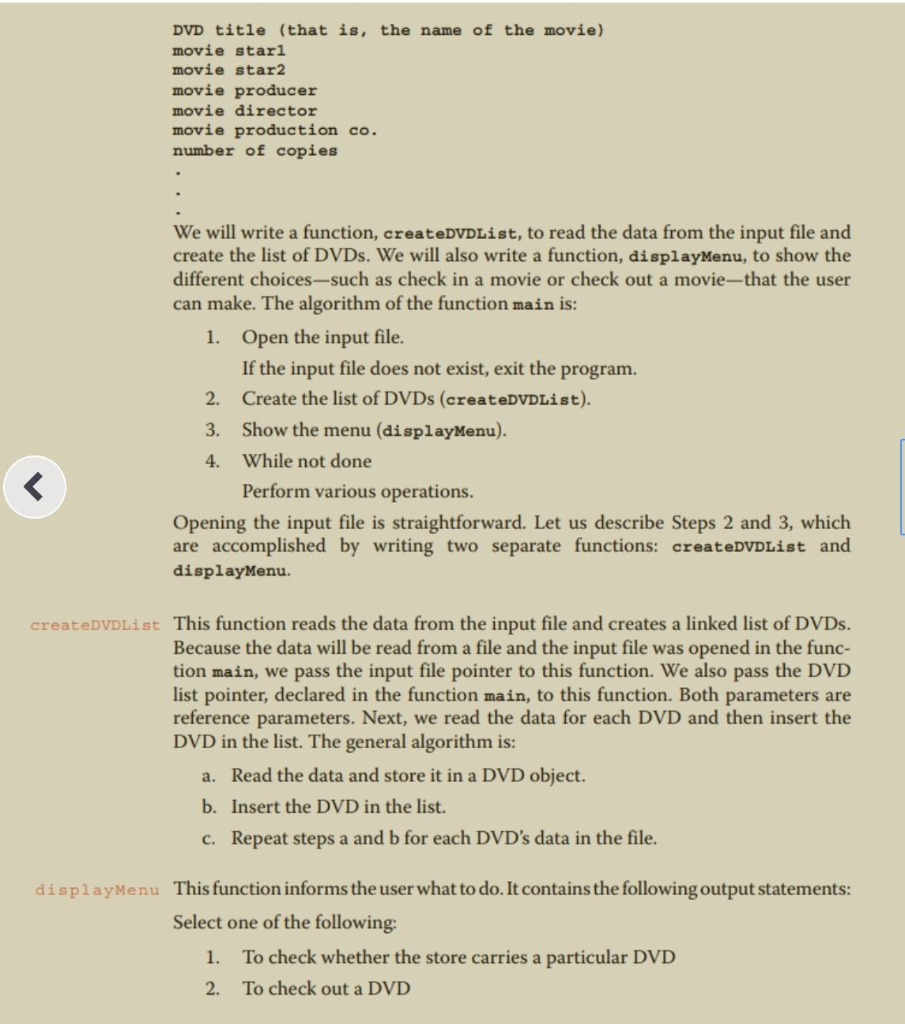
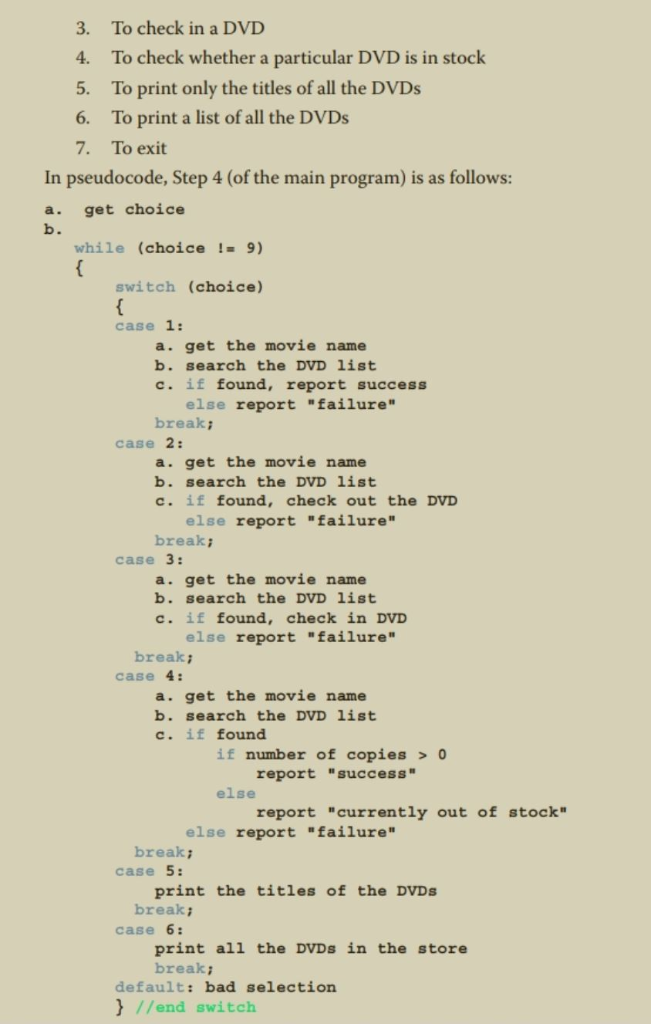
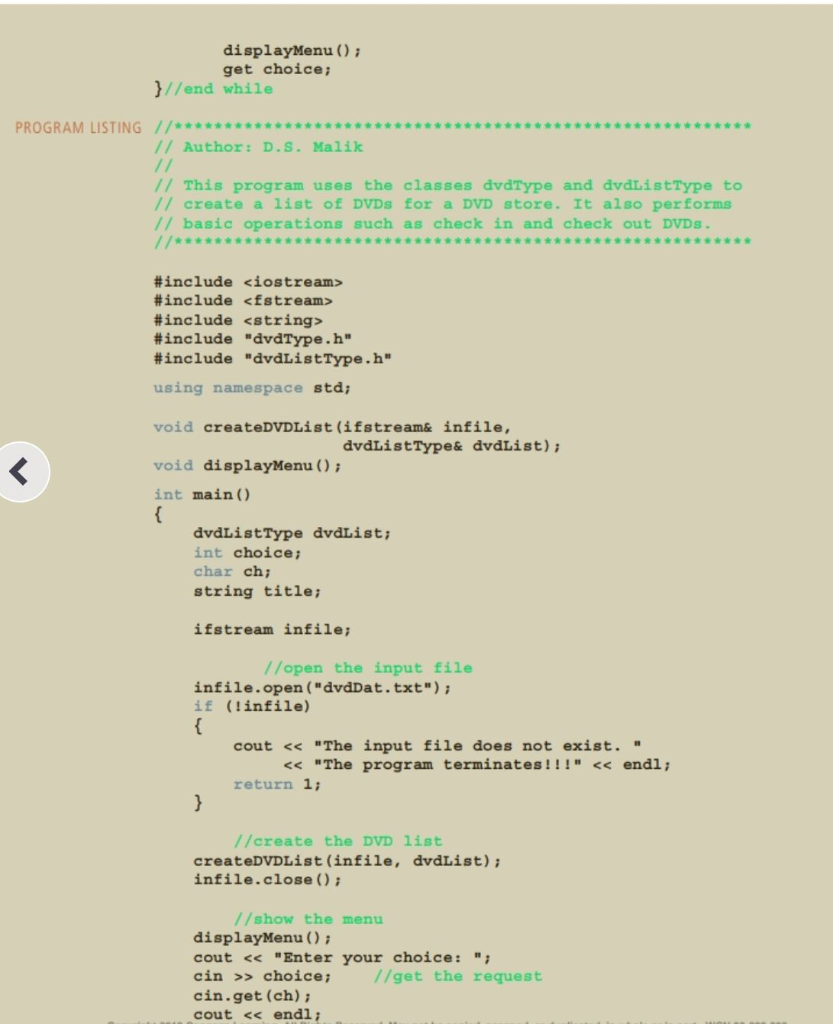
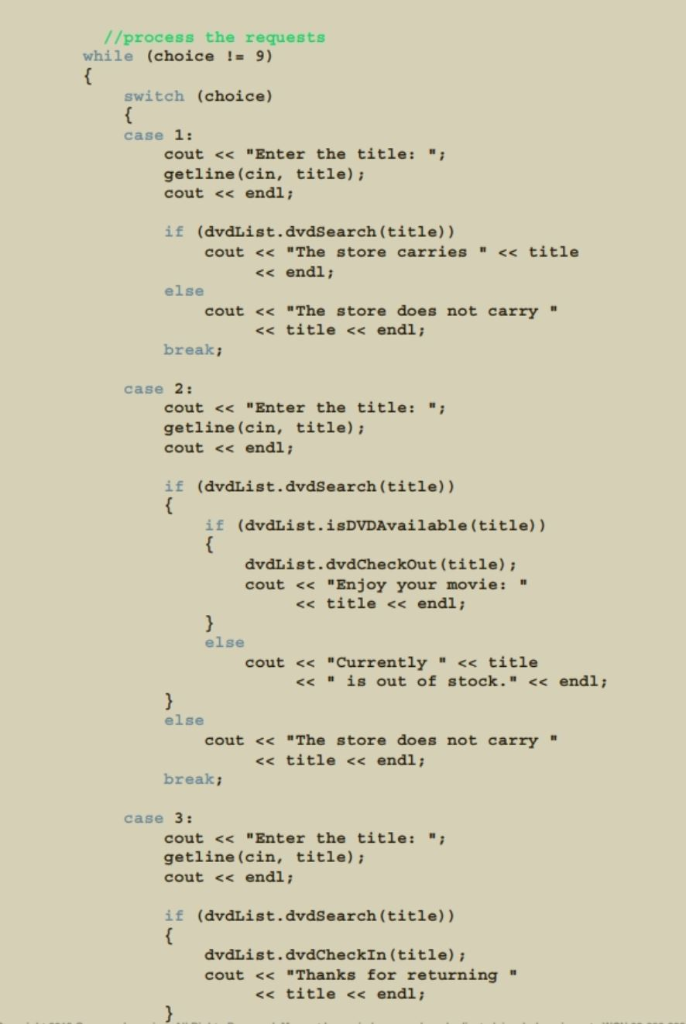
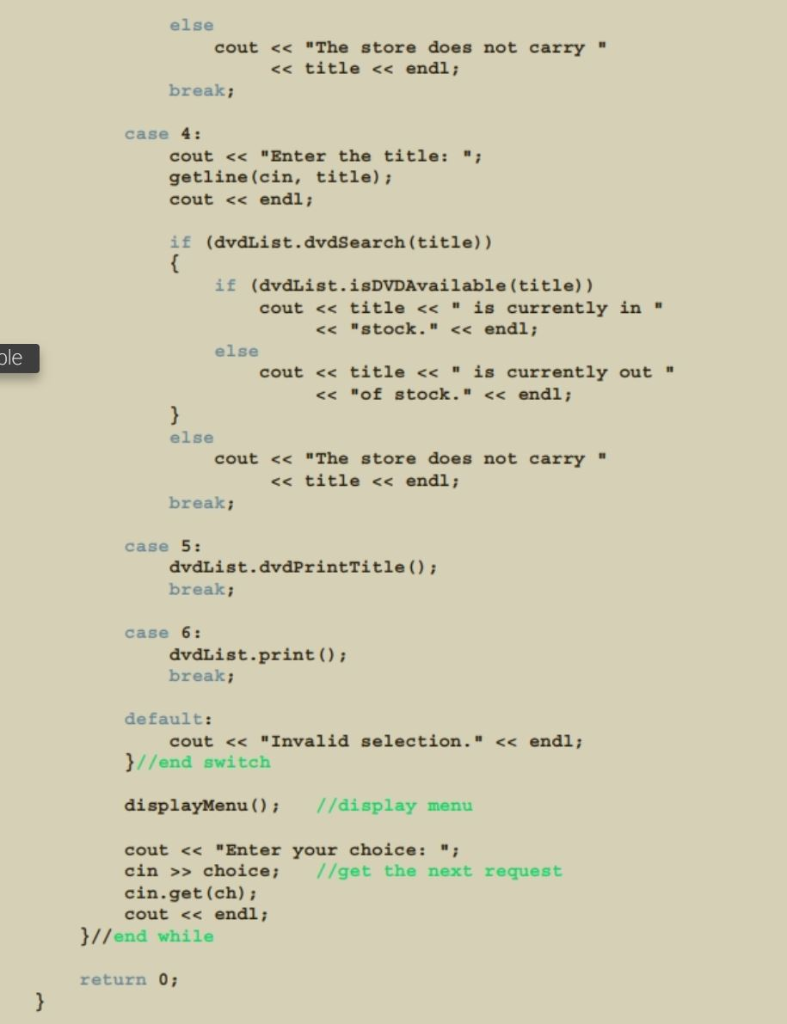
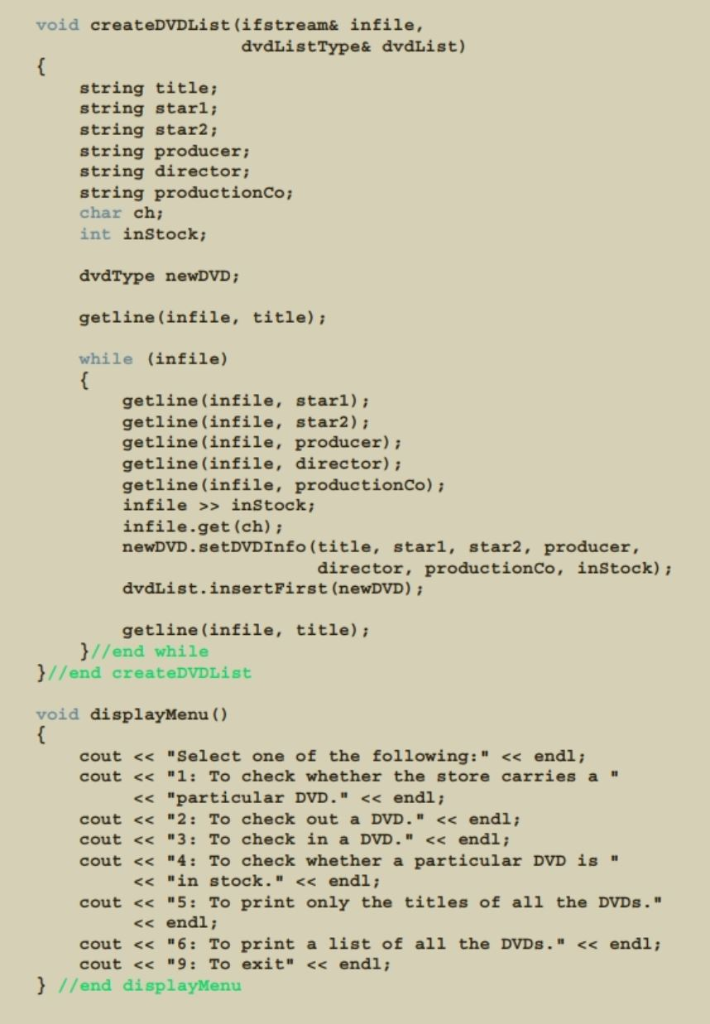
(DVD Store programming example) a. Complete the design and implementation of the class 14. customerType defined in the DVD Store programming example. b. Design and implement the class customerListType to create and maintain a list of customers for the DVD store. PROGRAMMING EXAMPLE: DVD Store For a family or an individual, a favorite place to go on weekends or holidays is to a DVD store to rent movies. A new DVD store in your neighborhood is about to open. However, it does not have a program to keep track of its DVDs and customers. The store managers want someone to write a program for their system so that the DVD store can function. The program should be able to perform the following operations Watch the Video 1. Rent a DVD; that is, check out a DVD 2. Return, or check in, a DVD 3. Create a list of DVDs owned by the store 4. Show the details of a particular DVID 5. Print a list of all of the DVDs in the store. 6. Check whether a particular DVD is in the store. 7. Maintain a customer database. 8. Print a list of all of the DVDs rented by each customer. Let us write a program for the DVD store. This example further illustrates the object oriented design methodology and, in particular, inheritance and overloading The programming requirement tells us that the DVD store has two major compo- nents: DVDs and customers. We will describe these two components in detail. We also need to maintain the following lists: A list of all of the DVDs in the store Alist of all of the store’s customers .Lists of the DVDs currently rented by the customers We will develop the program in two parts. In Part 1, we design, implement, and test the DVD component. In Part 2, we design and implement the customer compo- nent, which is then added to the DVD component developed in Part 1. That is, after completing Parts 1 and 2, we can perform all of the operations listed previously. PART 1: DVD This is the first stage, wherein we discuss the DVD component. The common COMPONENT DVD things associated with a DVD are as follows Object Name of the movie Names of the stars Name of the producer Name of the director . Name of the production company . Number of copies in the store From this list, we see that some of the operations to be performed on a DVD object are as follows: 1. Set the DVD information-that is, the title, stars, production company, and so on. Show the details of a particular DVD Check the number of copies in the store. Check out (that is, rent) the DVD. In other words, if the number of copies is greater than zero, decrement the number of copies by one. Check in (that is, return) the DVD. To check in a DVD, first we must check whether the store owns such a DVD and, if it does increment the number of copies by one. 2. 3. 4. 5. 6. Check whether a particular DVD is available-that is, check whether the number of copies currently in the store is greater than zero. The deletion of a DVD from the DVD list requires that the list be searched for the DVD to be deleted. Thus, we need to check the title of a DVD to find out which DVD is to be deleted from the list. For simplicity, we assume that two DVDs are the same if they have the same title. The following class defines the DVD object as an ADT. //Author: D.S. Malik // class dvdType // This class specifies the members to implement a DVD. #include <iostream> #include <string> using namespace std; class dvdType friend ostream& operator<< (ostream&,const dvdType&) i public: void setDVDInfo (string title, string starl, string star2, string producer, string director, string productionCo, int setInStock) ; //Function to set the details of a DVD. //The member variables are set according to the //Postcondition: dvdTitle title: movieStar1 -starli // movieDirector= director; //copiesInStock setInStock //Function to check the number of copies in stock movies tar2 = star2 ; movieproducer producer; movieProductionCo productionCo int getNoOfCopiesInstock ) const: //Postcondition: The value copiesInStock is returned. void checkOut ) //Function to rent a DVD. //Postcondition: The number of copies in stock is decremented by one. void checkIn ) //Punction to check in a DVD //Postcondition: The number of copies in stock is incremented by one void printTitle ) const //Punction to print the title of a movie void printInfo O const //Function to print the details of a DVD. //Postcondition: The title of the movie, stars director, and so on are displayed on the screen. bool checkTitle(string title) //Function to check whether the title is the same as the //title of the DVD. //Postcondition: Returns the value true if the title is the same as the title of the DVD false otherwise void updateInStock (int num) //Punction to increment the number of copies in stock by //adding the value of the parameter num. //Postcondition: copiesInStock copiesInStock +num void setCopiesInstock (int num) //Function to set the number of copies in stock. //postcondition: copiesinstock num; string getTitle ) const //Punction to return the title of the DVD. //Postcondition: The title of the DVD is returned. dvdType (string titlestring starl- string star2,string producer string director = “”, string produc tionCo- “”, int setInStock 0) //constructor //The member variables are set according to the //incoming parameters. If no values are specified, the //default values are assigned. //postcondition : dvdTitle = title; moviestarl star1 ; movieStar2 star2 movieProducer producer movieDirector director movieProductionCoproductionCo copiesInStocksetInStock //Overload the relational operators. bool operator(const dvdType&) const; bool operator!= (const dvdType&) const; private: string dvdTitle, //variable to store the name string movieStarl; //variable to store the name string movieStar2: 1/variable to store the name string movieProducer: //variable to store the name string movieDirector: 1/variable to store the name string movieProductionCo;//variable to store the name int copiesInStock: //variable to store the number of //of the movie //of the star //of the star /of the producer //of the director //of the production company //copies in stock )i We leave the UML diagram of the class dvdType as an exercise for you. For easy output, we will overload the output stream insertion operator, <<, for the class dvdType Next, we will write the definitions of each function in the class dvdType. The definitions of these functions, as given below, are quite straightforward and easy to follow void dvdType::setDVDInfo (string title, string starl, string star2, string producer, string director, string productionCo, int setInStock) dvdTitle-title movieStarl starli moviestar2 = star2 ; movieProducer-producer; movieDirectordirector movieProductionCo productionCo; copiesInStocksetInStock; void dvdType: :checkout () if (getNoofCopiesInStock) 0) copies!nstock– else cout << “Currently out of stock” << endl; void dvdType::checkIn () copiesInStock++i int dvdType: :getNoofcopiesInStock () const return copiesInSt void dvdType:iprintTitle ) const cout << “DVD Title: ” << dvdTitle << endl; void dvdType::printInfo ) const cout “DVD Title : ” << dvdTitle endl ; cout << “Stars: << movieStarl <<and” << movieStar2 << endl; cout << “Producer: ” <<movieProducer << endl; cout << “Director: <<movieDirector << endl; cout << “Production Company: << movieProductionCo << endl; cout << “Copies in stock: << copiesInStock << endli bool dvdType::checkTitle (string title) return (dvdTitletitle) void dvdType: :updateInStock (int num) copiesInStock num; void dvdType: :setCopiesInStock (int num) copiesInStocknum; string dvdType: :getTitle ) const return dvdTitle dvdType: :dvdType (string title, string starl, string star2, string producer, string director string productionCo, int setInStock) setDVDInfo (title, starl, star2, producer, director, productionCo, setInStock) i bool dvdType: :operator-(const dvdType& other) const return (dvdTitle == other . dvdTitle); bool dvdType: :operator! (const dvdType& other) const return (dvdTitle -other.dvdTitle); ostream& operator<< (ostream& osobject, const dvdType& dvd) osobject << endl; osobject <<“DVD Title: ” << dvd.dvdTitle <<endl ; osobject << “Stars: “<< dvd.movieStarl << and ” << dvd.movieStar2 << endl; osobject <<“Producer: “<< dvd.movieProducer << endi; osobject <<“Director: ” << dvd.movieDirector << endi; osobject <<“Production Company:” << dvd.movieProductionCo << endl; << endl; << endl; osobject << “Copies in stock: “<< dvd.copiesInStock return osobject; DVD LIST This program requires us to maintain a list of all of the DVDs in the store. We also should be able to add a new DVD to our list. In general, we would not know how many DVDs are in the store, and adding or deleting a DVD from the store would change the number of DVDs in the store. Therefore, we will use a linked list to create a list of DVDs (see Figure 16-46). DVD info DVD info DVD info first last FIGURE 16-46 dvdList Earlier in this chapter, we defined the class unorderedLinkedList to create a linked list ofobjects. We also defined the basic operations such as insertion and dele- tion of a DVD in the list. However, some operations are very specific to the DVD list, such as check out a DVD, check in a DVD, set the number of copies of a DVD, and so on. These operations are not available in the class unorderedLinkedList. We will, therefore, derive a class dvdListType from the class unorderedLinkedList and add these operations The definition of the class dvdListType is as follows /Author: D.S.Malik // class dvdListType // This class specifies the members to implement a list of /DVDs. #include #include #include <string> “unorderedLinkedList.h” “dvdType.h” using namespace std class dvdListType: public unorderedLinkedList<dvdType> public: bool dvdSearch (string title) const //Function to search the list to see whether a //particular title, specified by the parameter title, //is in the store. //Postcondition: Returns true if the title is found, and false otherwise bool İsDVDAvailable(string title) const; //Function to determine whether a copy of a particular //DVD is in the store. //Postcondition: Returns true if at least one copy of the DVD specified by title is in the store, and false otherwise We were unable to transcribe this imagespecific data type, the class dvdListType is no longer required to be a template. Thus, the info type of each node in the linked list is now dvdType. Through the member functions of the class dvdType, certain members-such as dvdTitle and copiesInstock of an object of type dvdType-can now be accessed. The definitions of the functions to implement the operations of the class dvdListType are given next. The primary operations on the DVD list are to check in a DVD and to check out a DVD. Both operations require the list to be searched and the location of the DVD being checked in or checked out to be found in the DVD list. Other operations, such as determining whether a particular DVD is in the store, updating the number of copies of a DVD, and so on, also require the list to be searched. To simplify the search process, we will write a function that searches the DVD list for a particular DVD. If the DVD is found, it sets a parameter found to true and returns a pointer to the DVD so that check in, check out, and other operations on the DVD object can be performed. Note that the function searchDVDList is a private data mem- ber of the class dvdListType because it is used only for internal manipulation. First, we describe the search procedure. Consider the node of the DVD list shown in Figure 16-47. DVD info Node of a DVD list FIGURE 16-47 The component info is of type dvdType and contains the neces- sary information about a DVD. In fact, the component info of the node has seven members: dvdTitle, moviestarl, moviestar2, movieProducer, movieDirector, movieProductionCo, and copiesInstock (See the definition of the class dvdType.) Therefore, the node of a DVD list has the form shown in Figure 16-48. We were unable to transcribe this imageWe were unable to transcribe this imageIf the search is successful, the parameter found is set to true and the parameter current points to the node containing the DVD info. If it is unsuccessful, found is set to false and current will be nullptr. The definitions of the other functions of the class dvdListType are as follows: bool dvdListType::isDVDAvailable (string title) const bool found; nodeType<dvdType> location searchDVDList (title, found, location) if (found) else found-(location->info.getNoofCopiesInStock ) > 0) found = false; return found void dvdListType::dvdCheckIn (string title) bool found = false; nodeType<dvdType> location; searchDVDList (title, found, location)7//search the 1ist if (found) location->info.checkIn ) els cout << “The store does not carry”<< title << endl; void dvdListType::dvdCheckout (string title) bool found false; nodeType<dvdType> location searchDVDList (title, found, location) //search the list if (found) else location->info.checkOut ) cout << “The store does not carry” << title << endl, bool dvdListType: : dvdCheckTitle (string title) const bool found- falsej nodeType<dvdType> location; searchDVDList (title, found, location): //search the list return found; void dvdListType: : dvdUpdateInStock (string title, int num) bool found false nodeType<dvdType> *location; searchDVDList (title, found, location): //search the list if (found) else location->info.updateInStock (num) cout << “The store does not carry” << title << endl; void dvdListType:: dvdSetCopiesInStock (string title, int num) bool found = false; nodeType<dvdType> location searchDVDList (title, found, location) if (found) else location->info.setCopiesInstock (num) ; cout << “The store does not carry<< title << endl; bool dvdListType: : dvdSearch (string title) const bool found = false; nodeType<dvdType> *location; searchDVDList (title, found, location) return found; We were unable to transcribe this imageWe were unable to transcribe this image3. To check in a DVD 4. To check whether a particular DVD is in stock 5. To print only the titles of all the DVDs 6. To print a list of all the DVDs 7. To exit In pseudocode, Step 4 (of the main program) is as follows a. get choice while (choice 1- 9) switch (choice) case 1: a. get the movie name b. search the DVD list c. if found, report success else report “failure” break case 2: a. get the movie name b. search the DVD list c. if found, check out the DVD else report “failure” break case 3: a. get the movie name b. search the DVD list c. if found, check in DVD lse report “failure” breakj case 4: a. get the movie name b. search the DVD list c. if found if number of copies 0 report success” else report “currently out of stock else report “failure” break case 5: print the titles of the DVDs break; case 6: print all the DVDs in the store break; default: bad selection ) //end switch We were unable to transcribe this image//process the requests while (choice != 9) switch (choice) case 1: cout << “Enter the title: getline (cin, title) cout << endl İf (dvdLíst.dvdsearch ( title)) cout << The store carries << title << endl; else cout << “The store does not carry << title << endl; breakj case 2: cout << “Enter the title: getline (cin, title)i cout << endl if (dvdList.dvdSearch (title)) if (dvdList.isDVDAvailable (title)) dvdList.dvdCheckOut (title) cout << “Enjoy your movie: ” << title << endl; else cout << “Currently << title << “is out of stock.” << endl; else cout << “The store does not carry” << title << endl ; break case 3: cout << “Enter the title: getline (cin, title) cout << endl; if (dvdList.dvdSearch (title)) dvdList.dvdCheckIn (title) cout << “Thanks for returning” << title << endl , We were unable to transcribe this imageWe were unable to transcribe this imageShow transcribed image text (DVD Store programming example) a. Complete the design and implementation of the class 14. customerType defined in the DVD Store programming example. b. Design and implement the class customerListType to create and maintain a list of customers for the DVD store.
PROGRAMMING EXAMPLE: DVD Store For a family or an individual, a favorite place to go on weekends or holidays is to a DVD store to rent movies. A new DVD store in your neighborhood is about to open. However, it does not have a program to keep track of its DVDs and customers. The store managers want someone to write a program for their system so that the DVD store can function. The program should be able to perform the following operations Watch the Video 1. Rent a DVD; that is, check out a DVD 2. Return, or check in, a DVD 3. Create a list of DVDs owned by the store 4. Show the details of a particular DVID 5. Print a list of all of the DVDs in the store. 6. Check whether a particular DVD is in the store. 7. Maintain a customer database. 8. Print a list of all of the DVDs rented by each customer. Let us write a program for the DVD store. This example further illustrates the object oriented design methodology and, in particular, inheritance and overloading The programming requirement tells us that the DVD store has two major compo- nents: DVDs and customers. We will describe these two components in detail. We also need to maintain the following lists: A list of all of the DVDs in the store Alist of all of the store’s customers .Lists of the DVDs currently rented by the customers We will develop the program in two parts. In Part 1, we design, implement, and test the DVD component. In Part 2, we design and implement the customer compo- nent, which is then added to the DVD component developed in Part 1. That is, after completing Parts 1 and 2, we can perform all of the operations listed previously. PART 1: DVD This is the first stage, wherein we discuss the DVD component. The common COMPONENT DVD things associated with a DVD are as follows Object Name of the movie Names of the stars Name of the producer Name of the director
. Name of the production company . Number of copies in the store From this list, we see that some of the operations to be performed on a DVD object are as follows: 1. Set the DVD information-that is, the title, stars, production company, and so on. Show the details of a particular DVD Check the number of copies in the store. Check out (that is, rent) the DVD. In other words, if the number of copies is greater than zero, decrement the number of copies by one. Check in (that is, return) the DVD. To check in a DVD, first we must check whether the store owns such a DVD and, if it does increment the number of copies by one. 2. 3. 4. 5. 6. Check whether a particular DVD is available-that is, check whether the number of copies currently in the store is greater than zero. The deletion of a DVD from the DVD list requires that the list be searched for the DVD to be deleted. Thus, we need to check the title of a DVD to find out which DVD is to be deleted from the list. For simplicity, we assume that two DVDs are the same if they have the same title. The following class defines the DVD object as an ADT. //Author: D.S. Malik // class dvdType // This class specifies the members to implement a DVD. #include #include using namespace std; class dvdType friend ostream& operator
Expert Answer
Answer to C++ programming language. C++ Programming, D.S Malik 8th ed., Chapter 16, programming exercise 14. … . . .
OR
